What It Checks

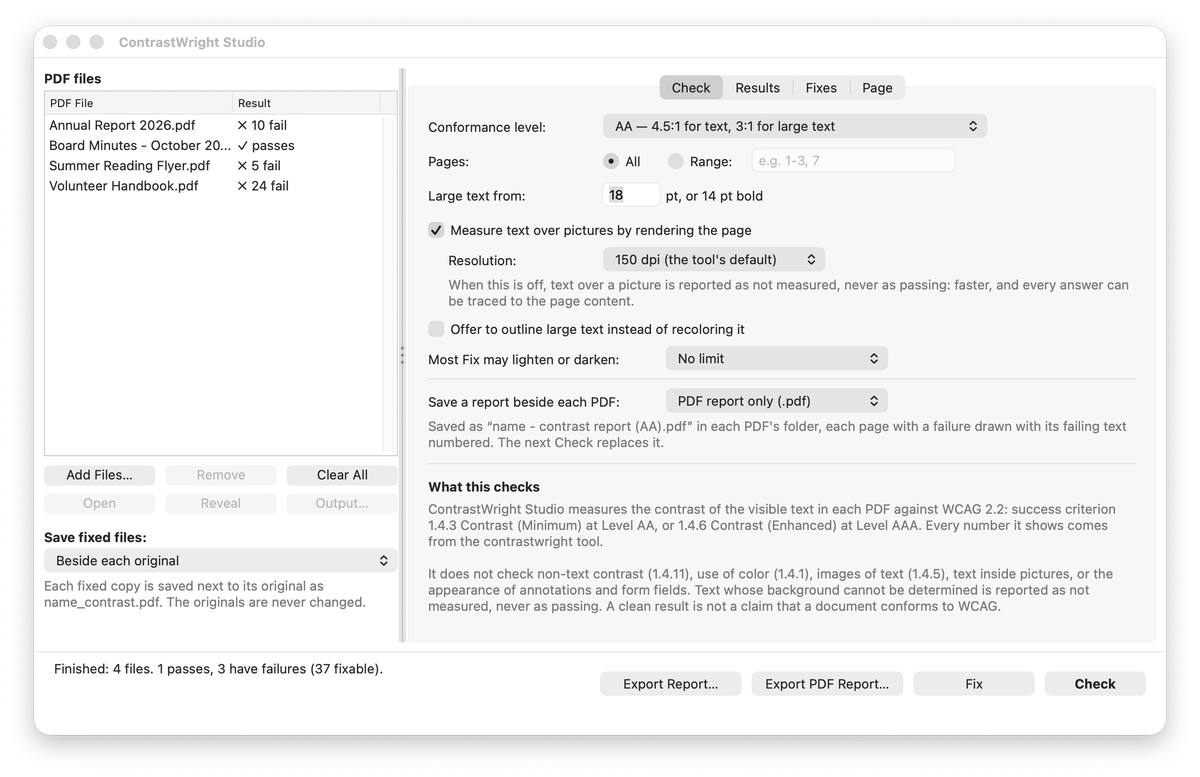
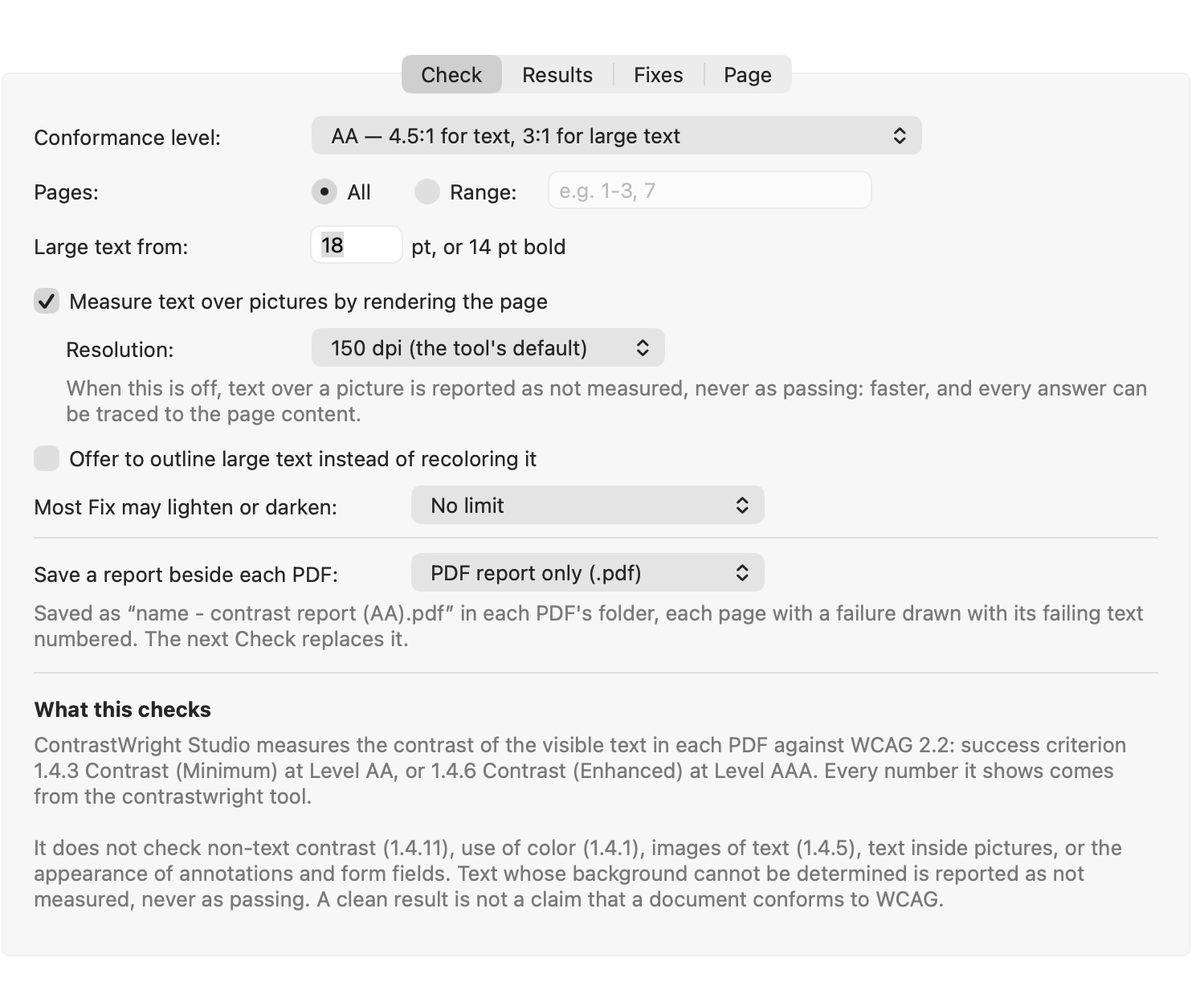
  • The contrast of visible text against WCAG 2.2: success criterion 1.4.3 Contrast (Minimum) at Level AA, or 1.4.6 Contrast (Enhanced) at Level AAA
  • Large text from 18 points, or 14 points bold, at the size a reader sees it, or from the size your policy sets
  • Every page or a range, in any number of files and folders
  • Text over a picture, measured from a drawing of the page
  • CMYK and spot-color text measured as the page draws it, and translucent text as a reader sees it
  • Text a reader cannot see is skipped: invisible, blank, or hidden under a shape painted over it. So are a table of contents' dot leaders, which are decoration

Every Failure, Explained

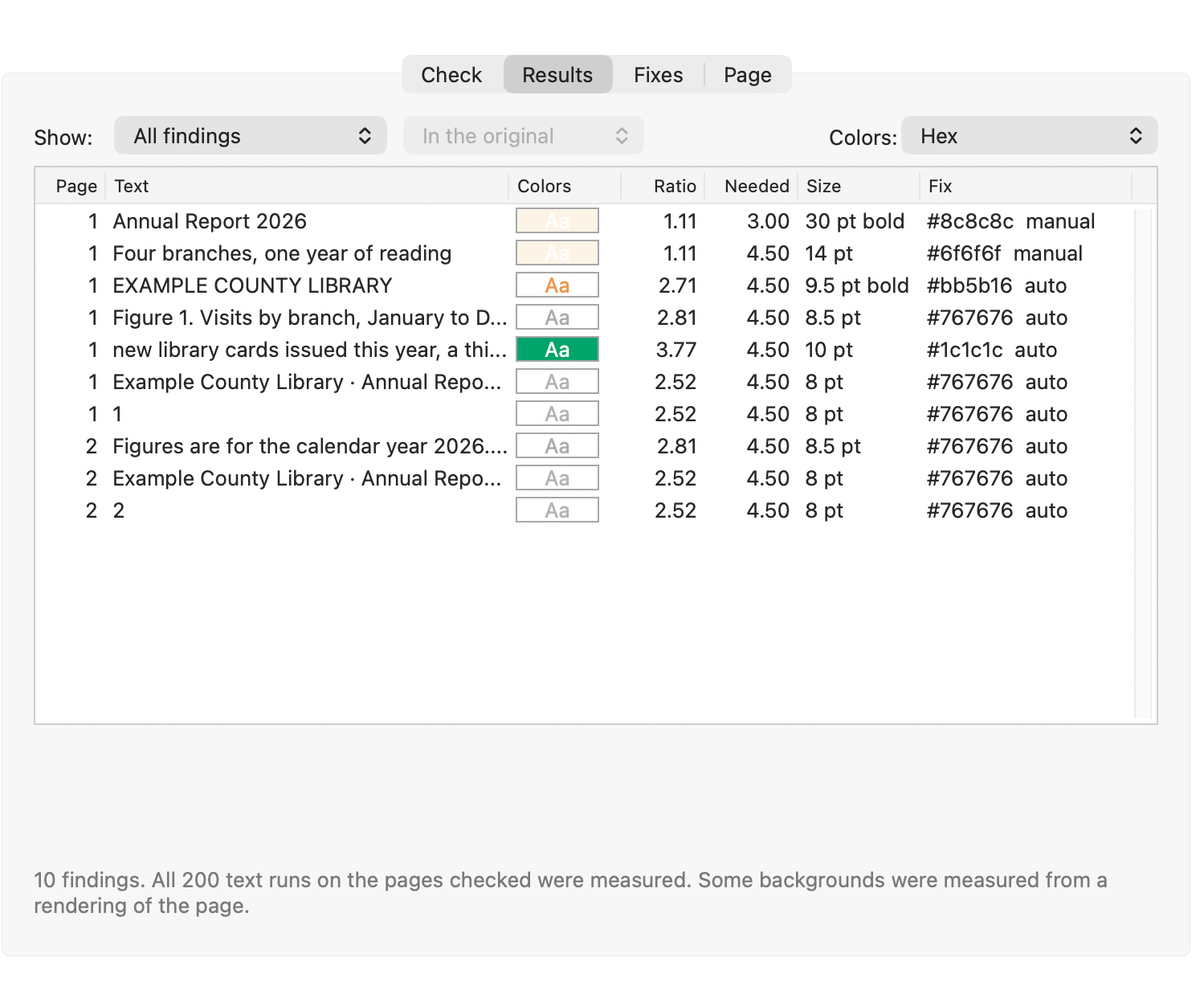
The Results tab lists each failure with its page, its text painted in its own colors, the ratio it reaches and the ratio it needs, the background it was measured on, and what Fix will do. Colors are named in hex, or as the document names them: C=… M=… Y=… K=… for CMYK, or a spot ink by its own name.

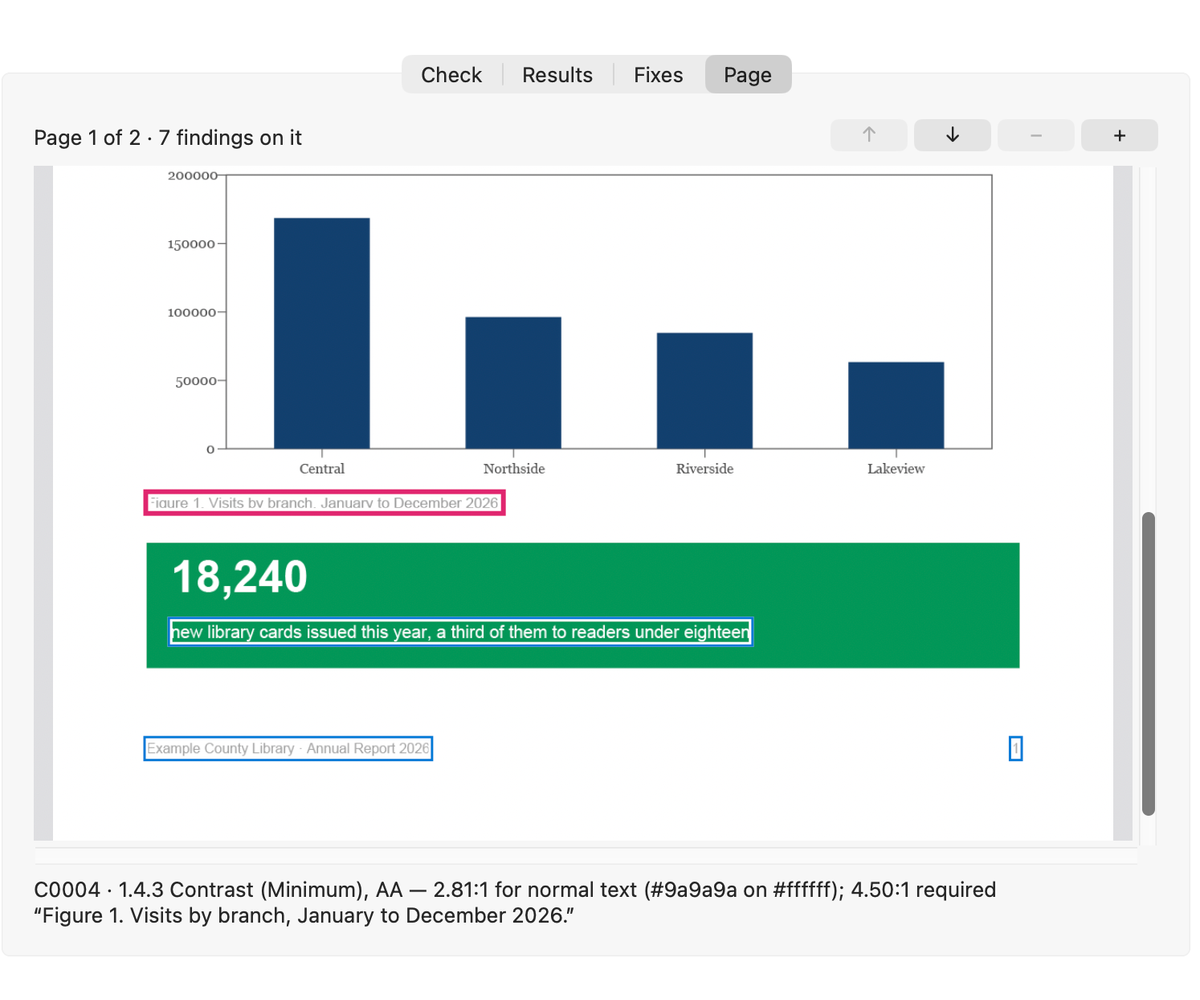
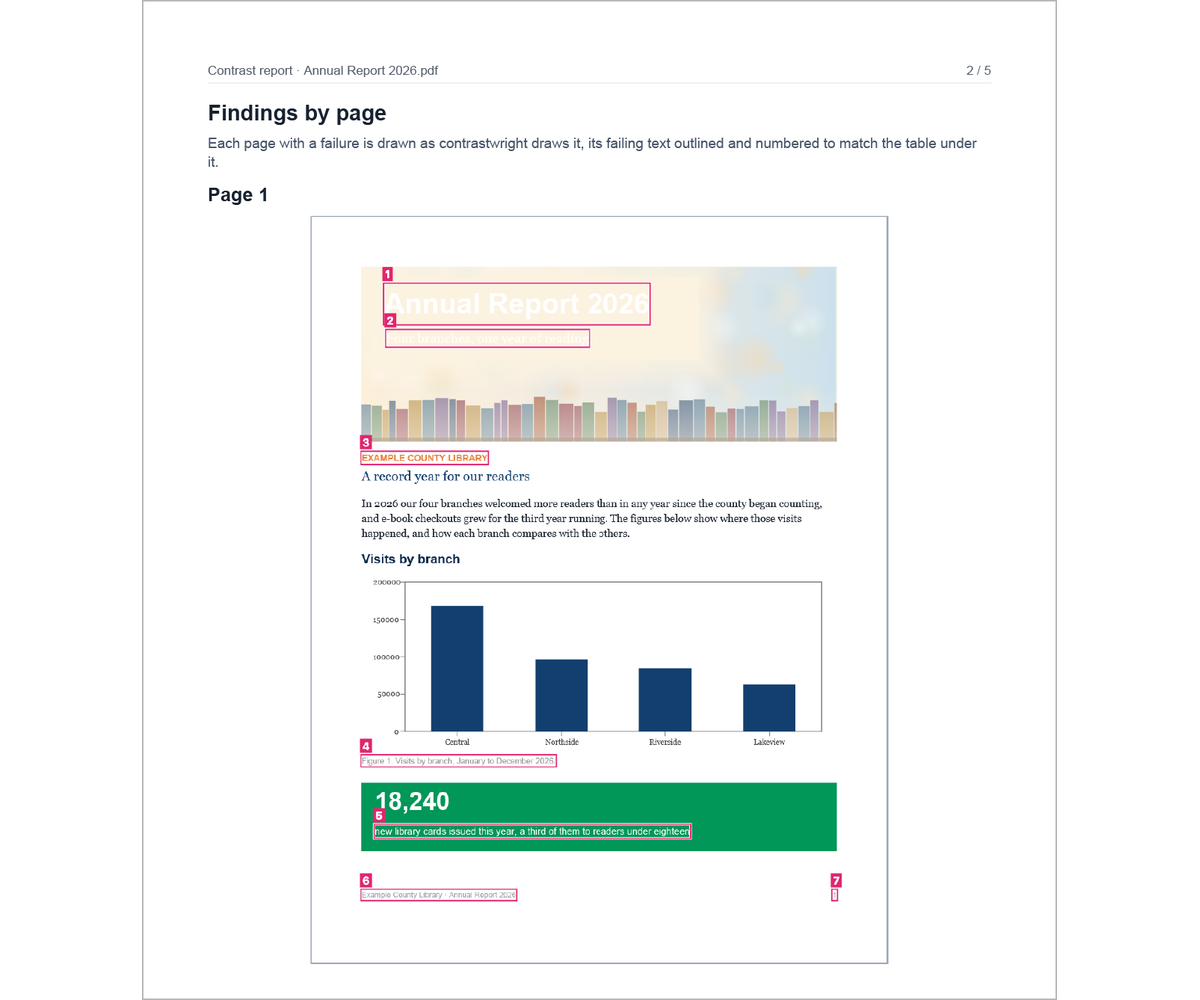
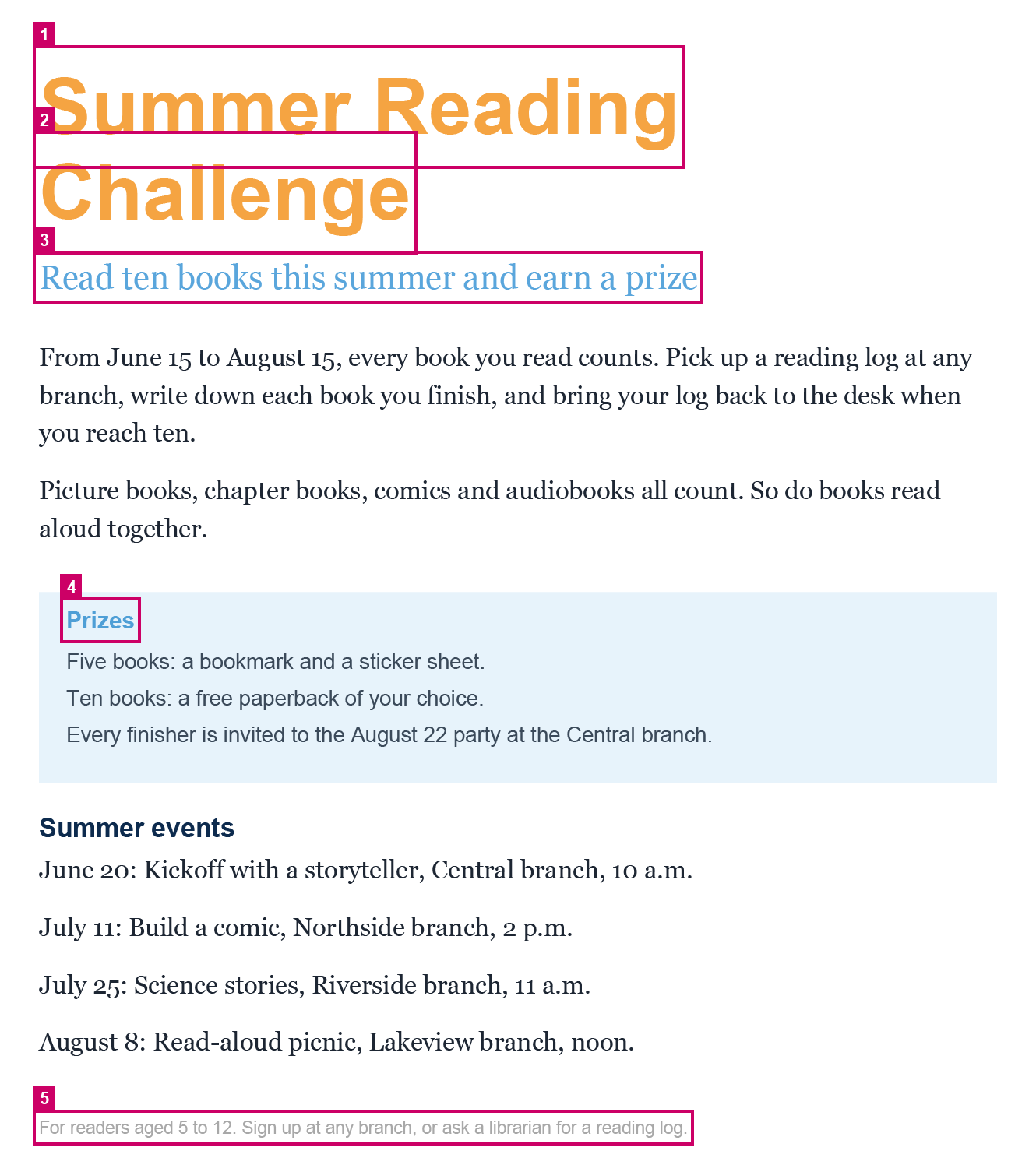
The Page tab outlines each failure on a drawing of its page, and the arrow keys step from one to the next.

Fixed in a Copy, Same Hue

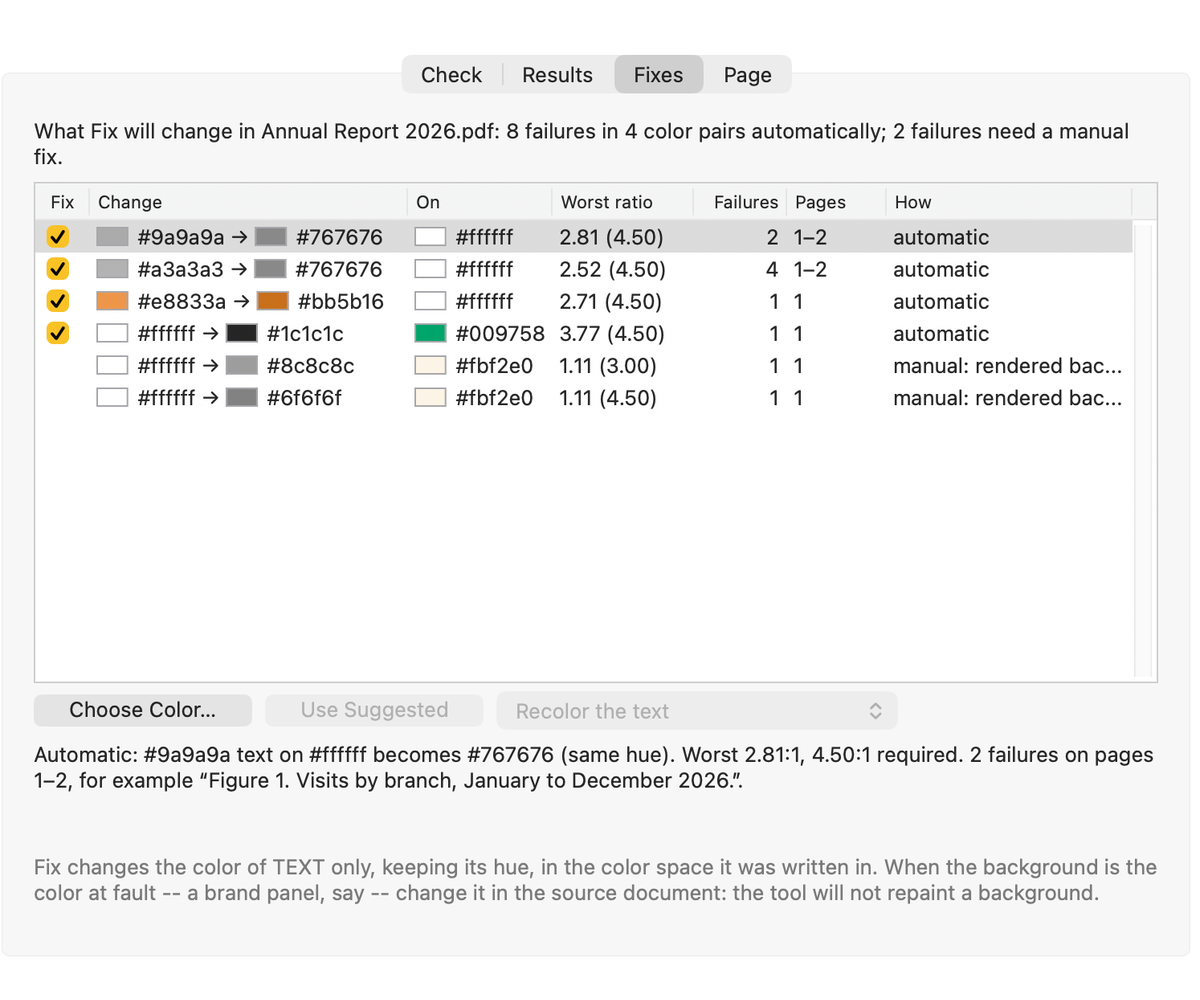
Failures are gathered into color pairs, one for each text color on each background, so one change fixes many. Fix changes the color of text and nothing else: a background is never repainted. Each new color keeps its hue, and gets only as much darker or lighter as the ratio needs.

The copy is saved as name_contrast.pdf, beside its original or in a folder you choose, and checked again, so the result says what is still failing. The original is never changed.

You Stay in Charge

  • Leave a color pair out of the fix
  • Choose your own color: the contrastwright tool judges it first, and only a color that passes is taken
  • Text on a picture, and text in a spot ink, are left to you, each with a suggested color
  • Outline large text instead of recoloring it
  • Limit how far Fix may lighten or darken a color

Reports

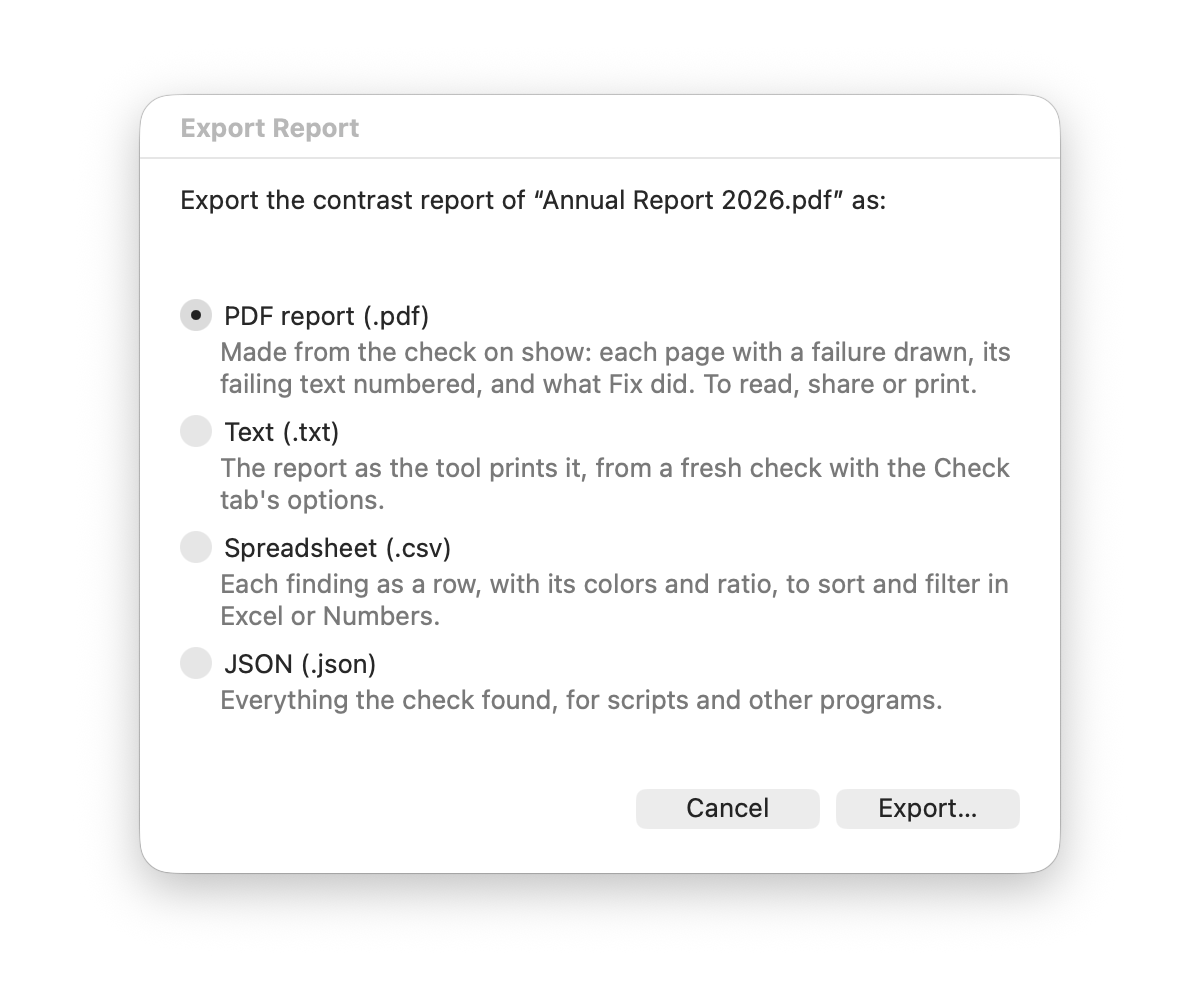
Save a report beside each PDF at every check, or export one later: text, a spreadsheet (CSV), JSON, or a PDF report.

The PDF report is a tagged PDF/UA-1 document: the result, the counts at a glance, each color pair and its fix, what Fix did, and up to 25 pages drawn with their failing text outlined and numbered. A report about contrast has to pass its own check: every text color in it reaches at least 4.5:1 on what it sits on.

What It Does Not Check

ContrastWright Studio checks the contrast of text. It does not check non-text contrast (1.4.11), use of color (1.4.1), images of text (1.4.5), text inside pictures, or the appearance of annotations and form fields. Text whose background cannot be determined is reported as not measured, never as passing.

A clean result is not a claim that a document conforms to WCAG.

Accessible to Everyone Who Uses It

On a Mac, VoiceOver reads ContrastWright Studio's lists, with each color named in words. On a Mac and on Windows, every command works from the keyboard.

Its own Users Guide and its PDF reports are tagged PDF/UA-1 documents that pass their own contrast check.

ContrastWright Studio and ContrastWright

One tool gives both their answers. ContrastWright Studio is for checking and fixing files by hand. ContrastWright, the contrastwright command-line tool on its own, is for scripts and servers, and gives the same results.

Supported Operating Systems

  • macOS 15 Sequoia or later, on Apple Silicon
  • Windows 11, 64-bit: one Setup installs ContrastWright Studio, the contrastwright tool and the layout engine its PDF reports use

Documentation

Back to top