What PageWright Does

  • Lay out text, tables, images, charts, barcodes, equations and form fields from one JSON specification, checked against a published JSON Schema
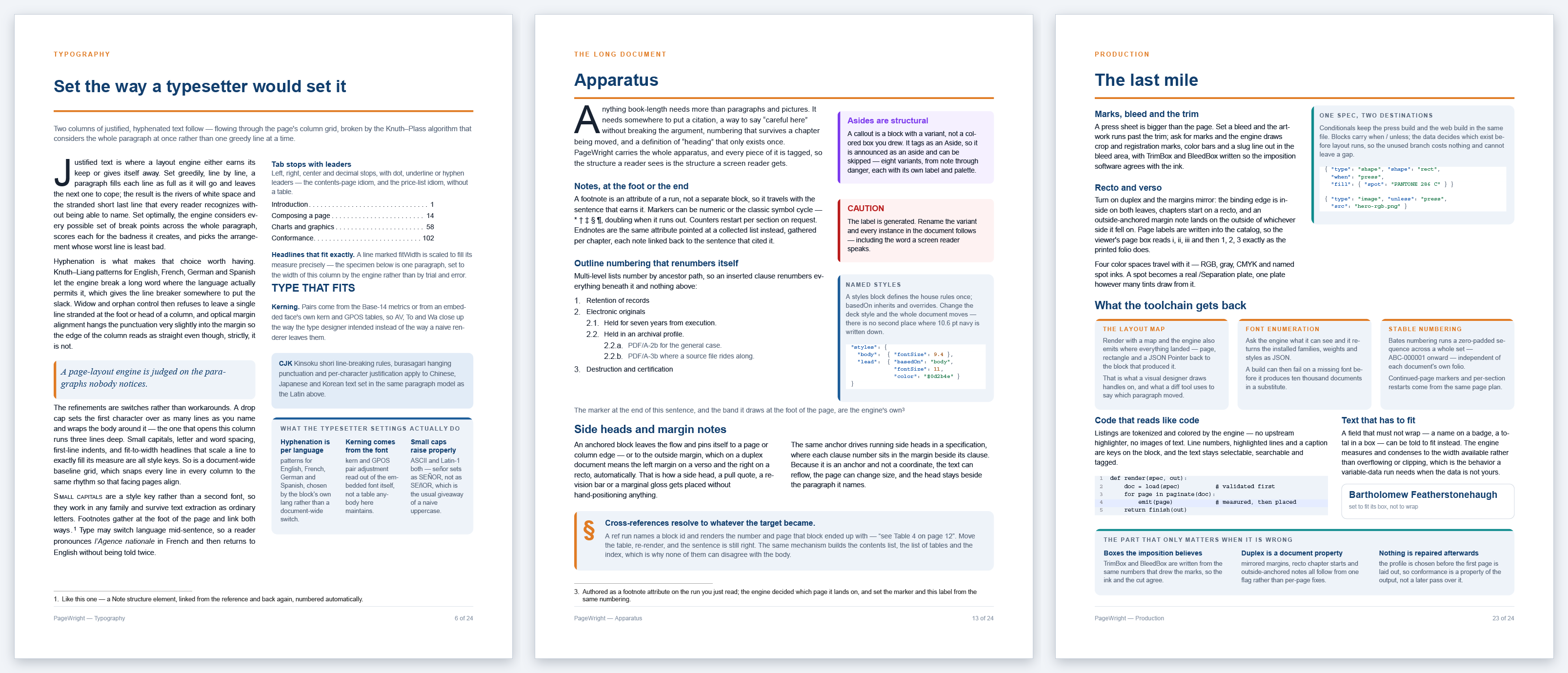
  • Set type the way a typesetter would: whole-paragraph line breaking, hyphenation in English, French, German and Spanish, kerning from the font itself, and widow and orphan control
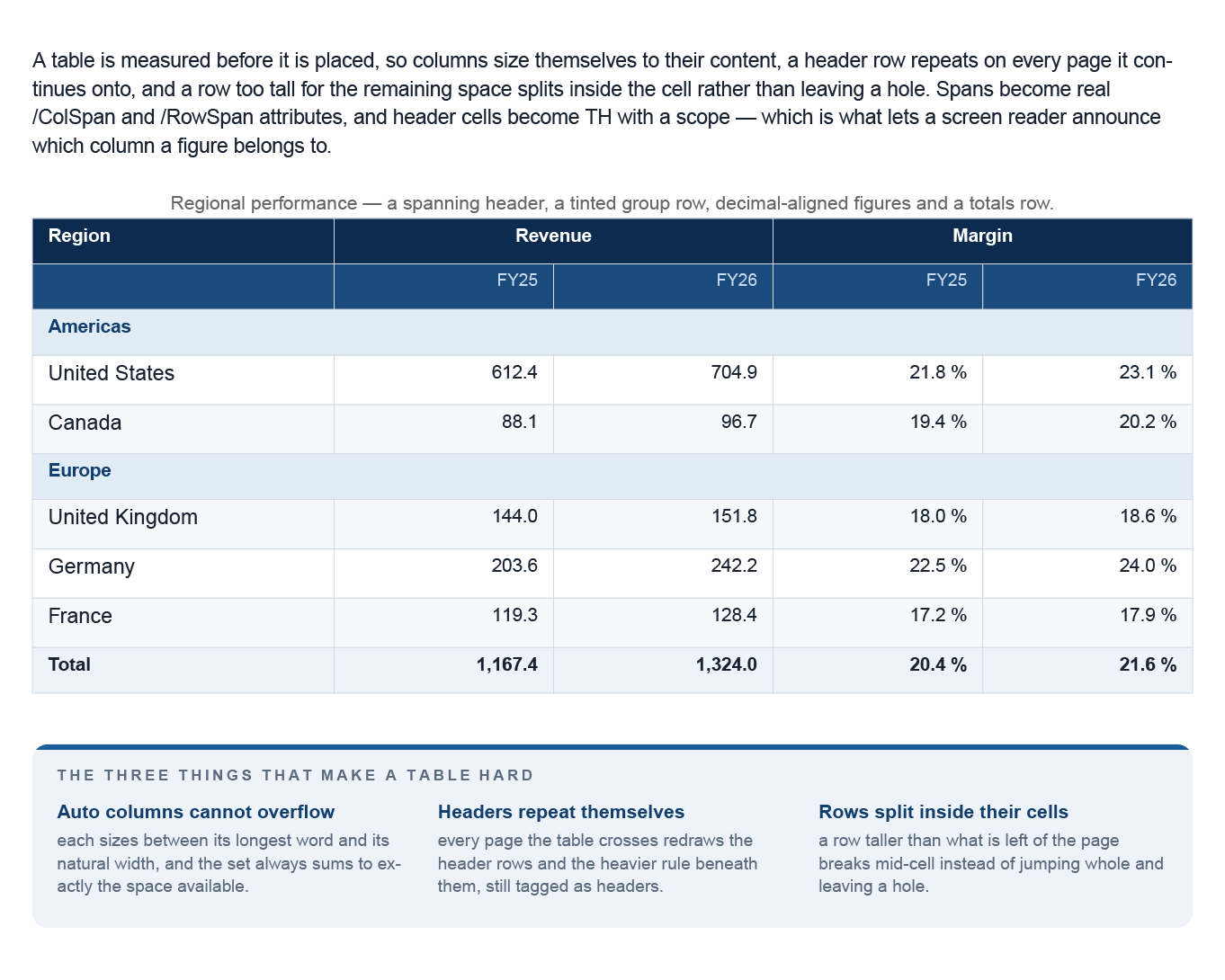
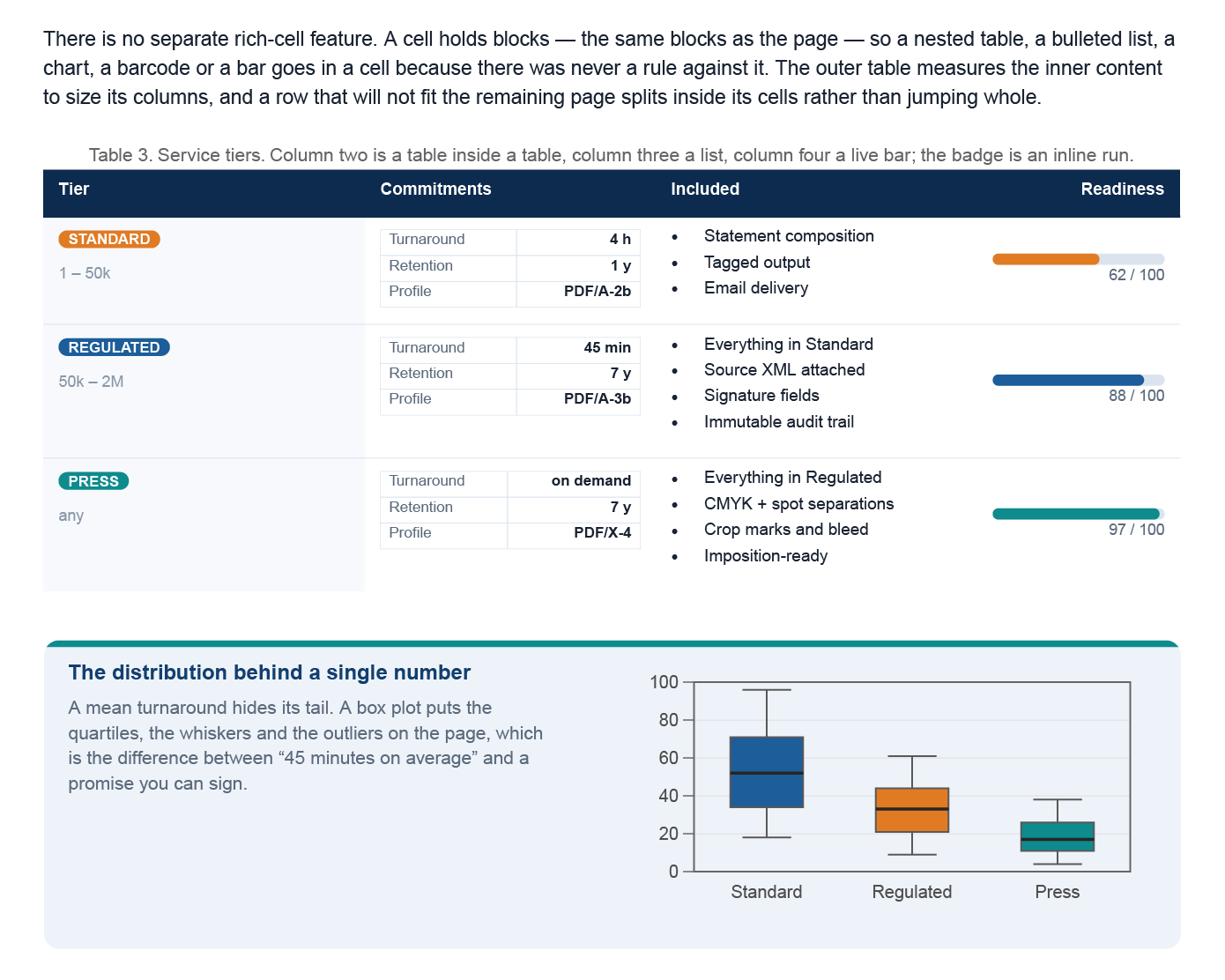
  • Build tables that size their own columns, repeat their header rows on every page they cross, and split a tall row inside the cell
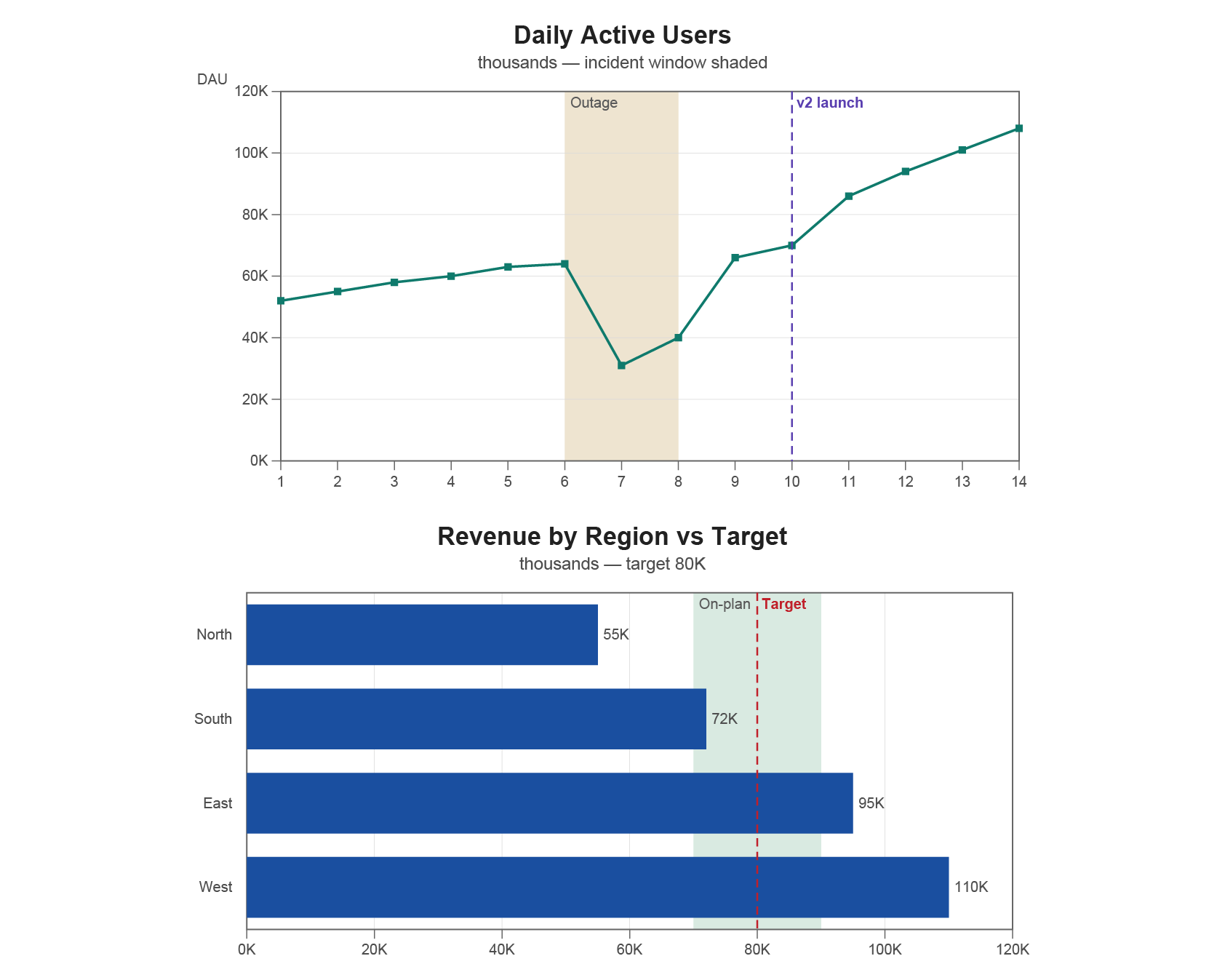
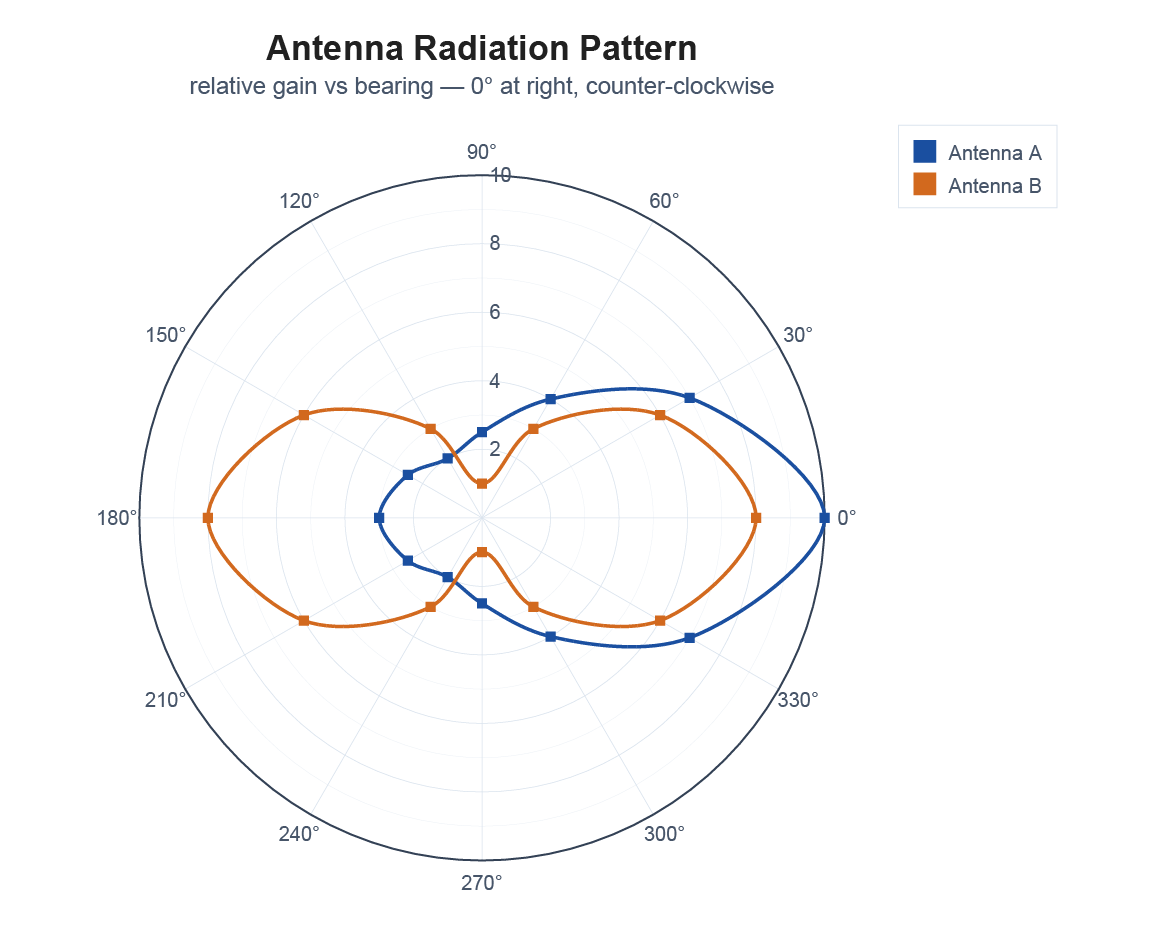
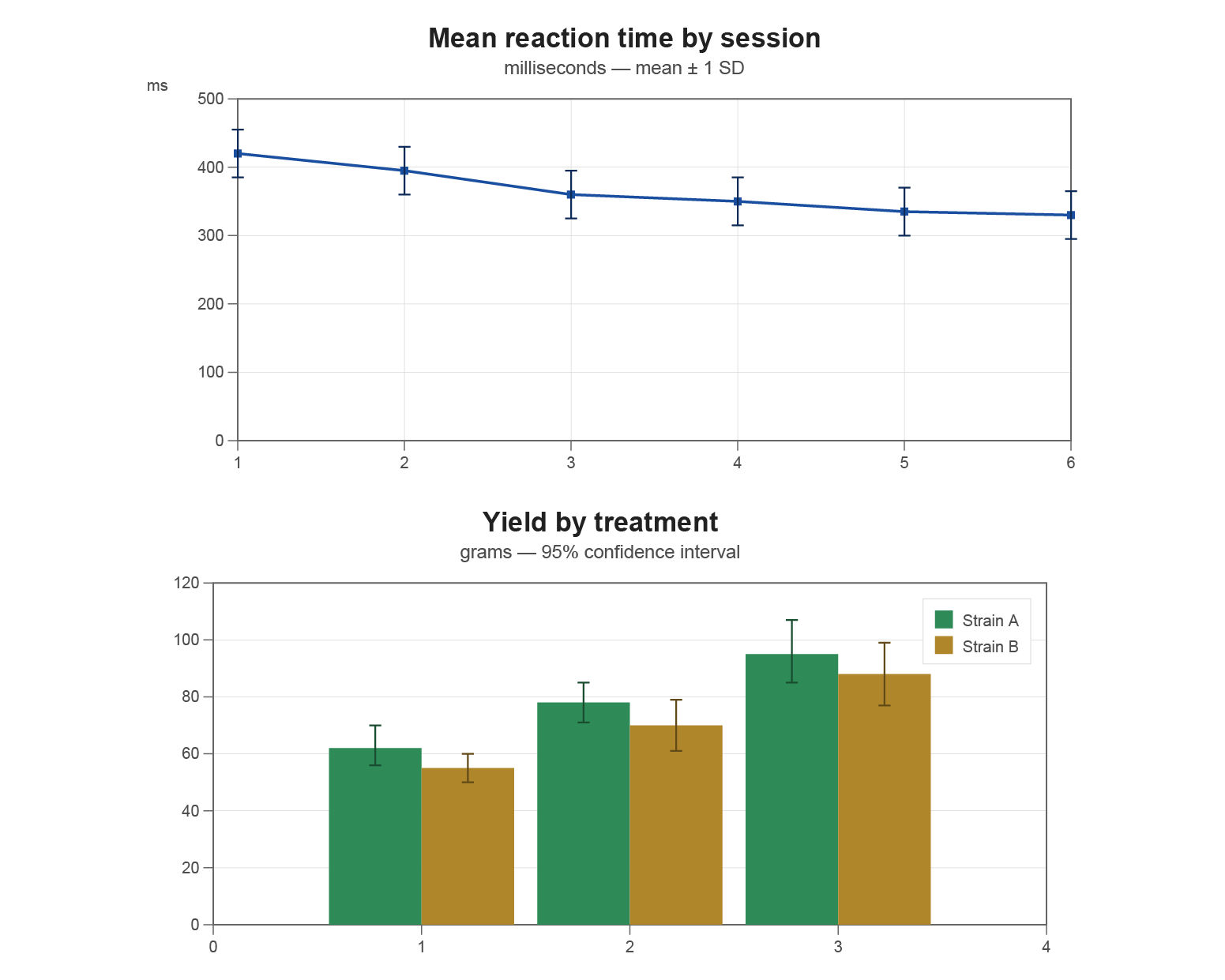
  • Draw 17 chart types as native vector art — bar, line, area, pie, scatter, treemap, Sankey, heatmap, candlestick and more — each tagged as a figure with your alternate text
  • Draw more than a hundred barcode symbologies — QR Code, Data Matrix, PDF417, Aztec, EAN-13, Code 128 and more — as vectors, not images
  • Create real AcroForm fields — text, checkbox, radio button, dropdown and signature — tagged so a fillable form stays accessible
  • Produce long documents: sections, threaded stories, contents lists, index, glossary, bibliography, footnotes and endnotes, cross-references, and books bound from many files
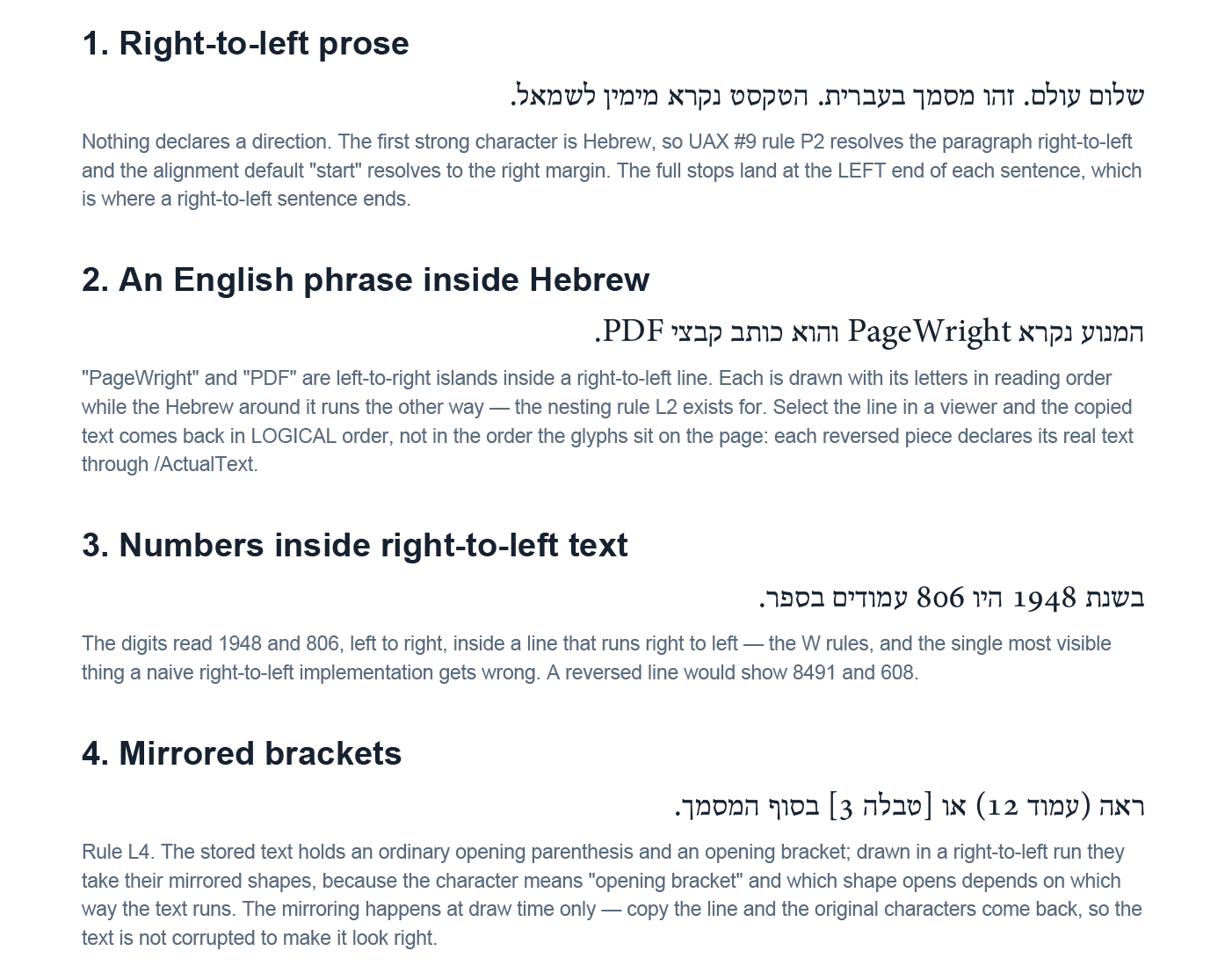
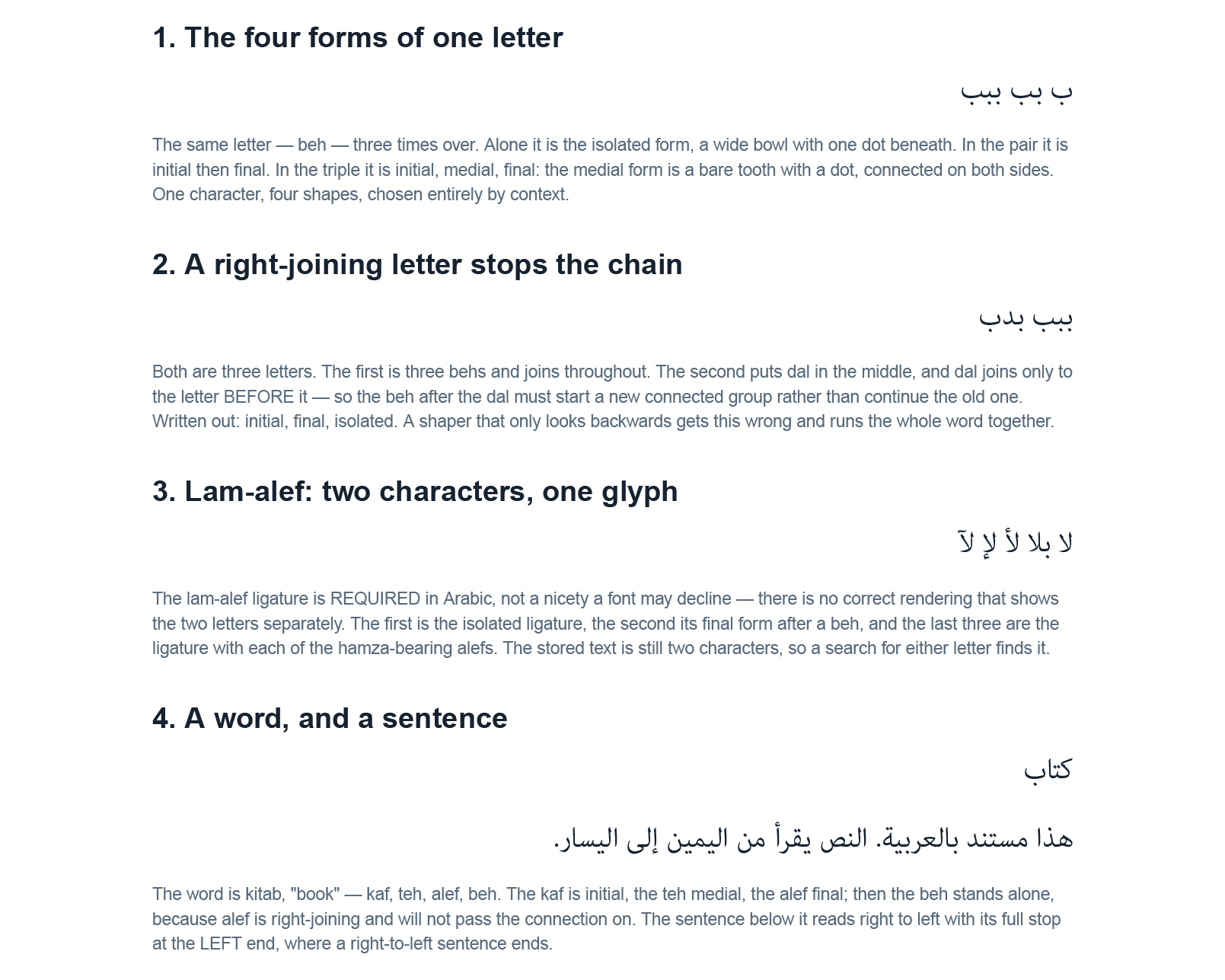
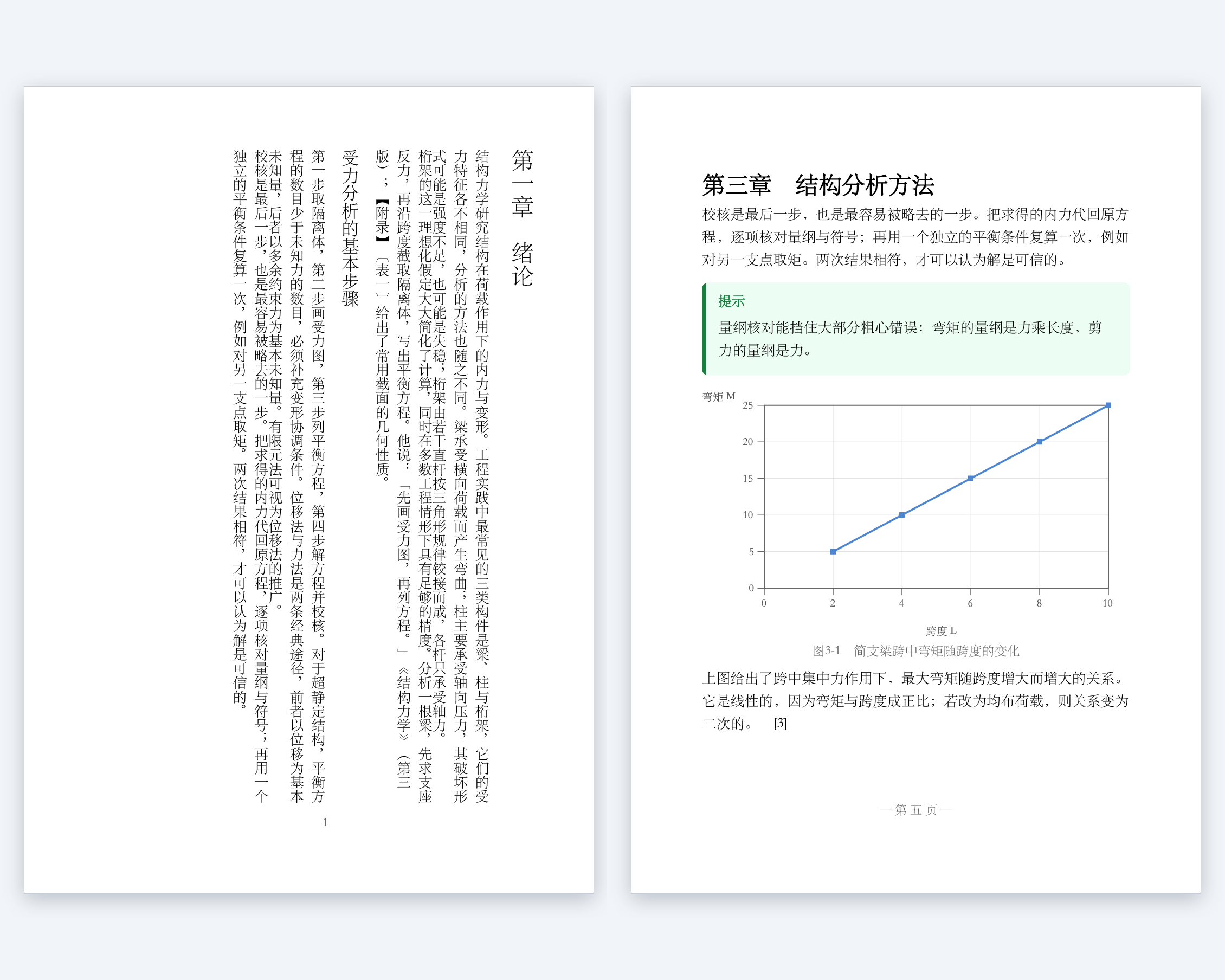
  • Set the world's scripts: full Unicode, right-to-left Hebrew and Arabic with shaping, Devanagari, and Chinese, Japanese and Korean — including vertical writing
  • Prepare for press: CMYK and named spot colors, bleed, crop and registration marks, and mirrored margins for binding
  • Encrypt with AES-256 and set per-operation permissions

See It Work

A specification is ordinary JSON. This one is a complete document — a heading, a sentence filled in from data, and a chart that carries its own alternate text — and it asks for tagged PDF/UA-1 and archival PDF/A-2a output:

{
  "title": "Quarterly Report for {{name}}",
  "lang": "en-US",
  "pdfua": true,
  "pdfa": "2a",
  "data": { "name": "Northwind Traders", "region": "Western" },
  "pageSetup": { "size": "Letter", "margins": 54 },
  "blocks": [
    { "type": "heading", "level": 1, "text": "Quarterly Report" },
    { "type": "paragraph", "text": "Prepared for {{name}}, {{region}} region." },
    { "type": "chart", "chartType": "bar", "legend": false,
      "alt": "Revenue by quarter, in millions of dollars",
      "categories": ["Q1", "Q2", "Q3", "Q4"],
      "series": [ { "name": "Revenue ($M)",
                    "points": [[1, 4.1], [2, 4.6], [3, 5.2], [4, 5.9]] } ] }
  ]
}

Render it:

pagewrightapp report.json report.pdf
wrote report.pdf (1 page)

Point the same file at a CSV or JSON data file and get one PDF per record, or one merged file. A CSV header row names the fields:

pagewrightapp report.json out.pdf -data customers.csv
wrote out-1.pdf (1 page)
wrote out-2.pdf (1 page)
wrote out-3.pdf (1 page)

pagewrightapp report.json all.pdf -data customers.csv -merge
wrote all.pdf (3 pages, 3 records merged)

Or render a whole list of jobs in one process, spread across worker processes:

pagewrightapp -batch jobs.txt -jobs auto
batch: 2 ok, 0 failed, of 2

No template language, no headless browser, nothing to compile — a command and a file your team can read.

Born Conformant, Not Repaired Afterwards

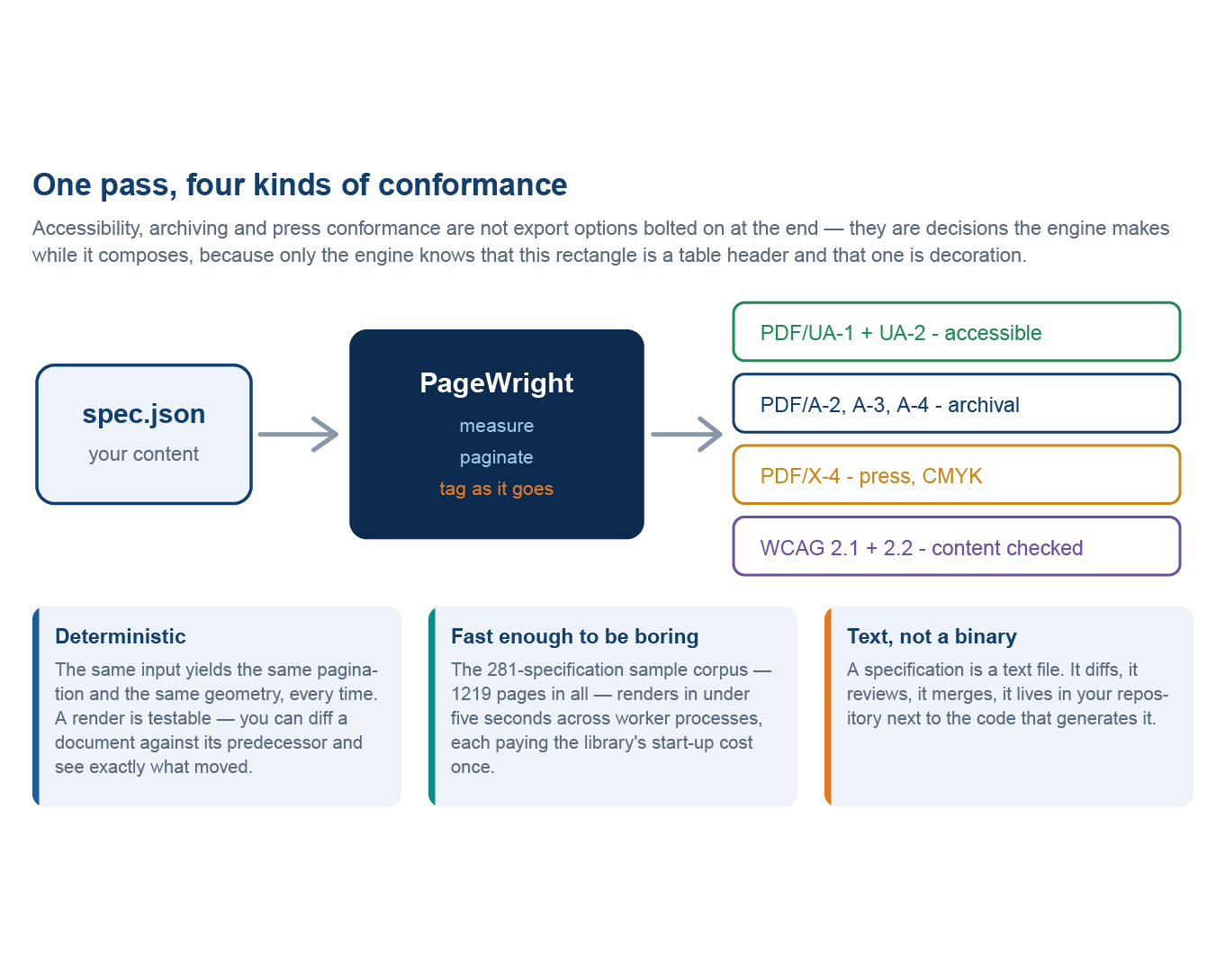
Most tools produce a PDF and then try to fix it: a second pass guesses which rectangle was a heading, which image was decoration and what the reading order was meant to be. PageWright never has to guess. It knows the block it is placing is a level-two heading, that the chart carries the alternate text you wrote, and that the rule under the masthead is decoration — so the structure tree, the output intent and the metadata are written as the document is composed, the same on the four-hundredth revision as on the first.

  • Accessibility — Tagged PDF, PDF/UA-1 and PDF/UA-2: real H1–H6 headings, tables with header scope and spans, alternate text on every figure, equations with their MathML attached, tagged form fields, and decoration marked so a screen reader skips it
  • Archiving — PDF/A-2b, 2u and 2a; PDF/A-3b, 3u and 3a; PDF/A-4, 4e and 4f
  • Print production — PDF/X-4, with a CMYK output intent and live transparency
  • WCAG 2.1 and 2.2 — declare a level and the engine checks what a layout can decide — contrast, alternate text, heading order, language — before it draws a page

PageWright's own sample corpus is rendered and validated on every build — 232 tagged samples against PDF/UA-1, five against PDF/UA-2 and twenty-one against PDF/A — and zero failures is the gate.

How It Runs

PageWright is a command-line application, so it fits any workflow that can start a process — a build, a web application, a scheduled job, or a pipeline alongside other Appligent server products.

  • Command line — a specification in, a PDF out. Every render checks the specification against the schema and names each problem by its place in the file; add -strictschema and a bad specification is refused with a non-zero exit, so it fails the build instead of shipping
  • Data merge — bind a CSV or JSON file and write one PDF per record, or one merged file; a record that cannot bind is reported by name and does not stop the run
  • Server batch — render a whole job list in one process, paying the start-up cost once, spread across as many worker processes as the machine can use
  • Editions — tag content with named conditions and switch them at the command line, so one source builds the draft, the internal and the customer edition
  • A published JSON Schema — your editor completes keys, and your build rejects a bad specification before it renders
  • An MCP server — an AI assistant can compose a document, render it, look at the result and check it against the standards it claims, running on your machine with nothing uploaded. The standards check needs Java 8 or later, which is not included; every other tool works without it

Supported Operating Systems

  • macOS on Apple Silicon
  • Microsoft Windows (64-bit)
  • Linux (64-bit)

Questions

Do I need to install Adobe Acrobat on the server?
No. You do not need to install or license Adobe Acrobat, or any separate Adobe product. PageWright is a self-contained command-line application, built on the Adobe PDF Library.

Is PageWright an HTML-to-PDF converter?
No. There is no browser underneath. PageWright is a page-layout engine: it breaks the lines, paginates and draws the graphics itself, which is why the same input always produces the same pages, and why it can write the structure an accessible PDF needs while it composes instead of guessing at it afterwards.

Is there a template language to learn?
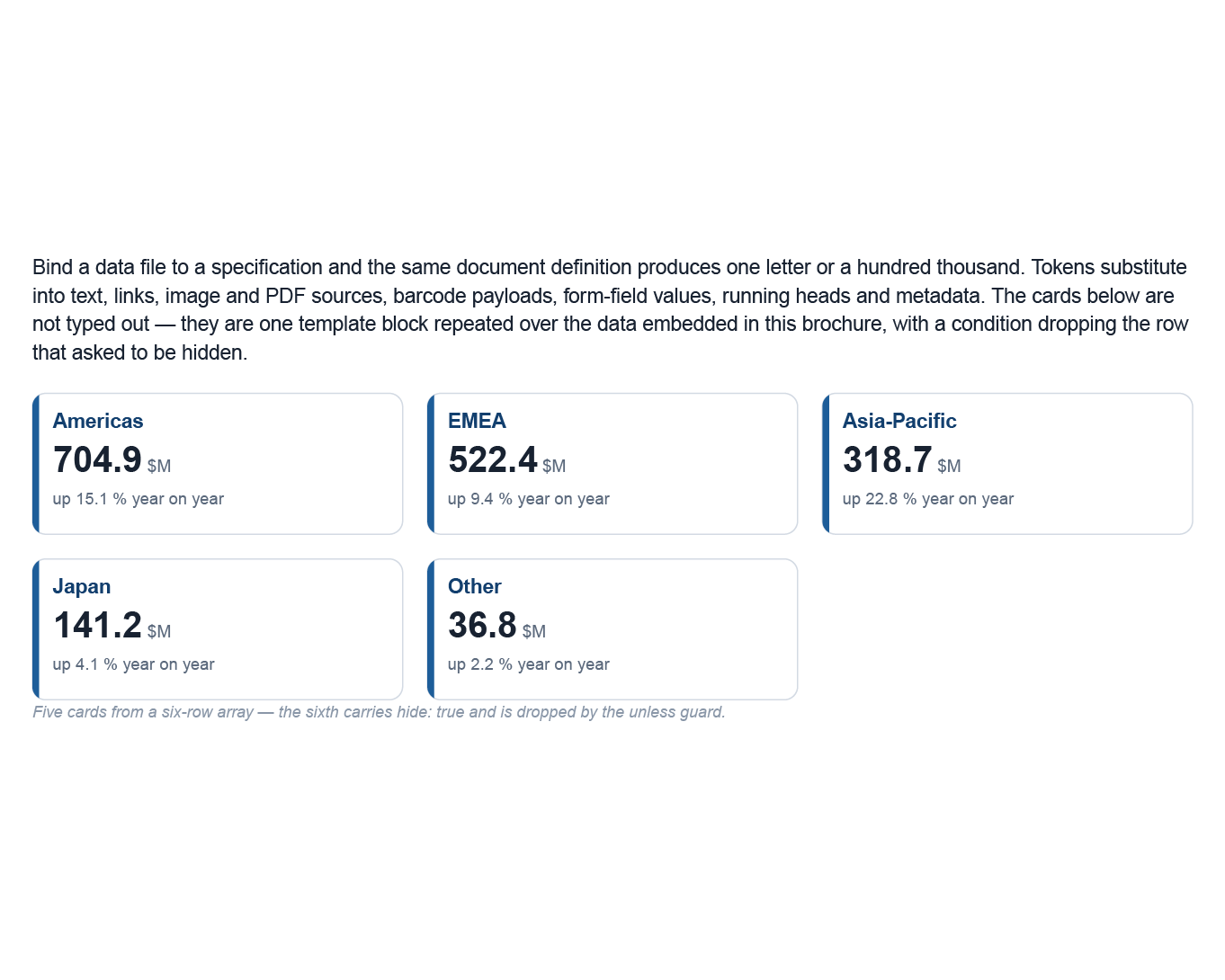
No. A specification is ordinary JSON. Data tokens such as {{name}} sit in the same blocks the document already uses, and repeat and condition blocks handle lists and choices — so a specification that renders is a specification that binds.

Do I have to write the JSON by hand?
No. Most specifications are generated: your application writes the JSON from its own data, or binds a data file to a template. PageWright Studio designs a document visually and saves the same specification, and an AI assistant can write one through the MCP server.

How do I call it from my application?
Start it as a process from any language — Java, .NET, Python, PHP, Node.js, C++ or a shell script — and check the exit status. The specification and the data are files, so nothing has to be compiled into your application.

How fast is it?
PageWright's 281-document sample corpus — 1,219 pages — renders in under five seconds as one batch spread across worker processes. A batch pays the PDF library's start-up cost once, not once per document.

What platforms does it run on?
macOS on Apple Silicon, Windows (64-bit) and Linux (64-bit).

Documentation

Back to top